1) Open Outlook 98 or Express
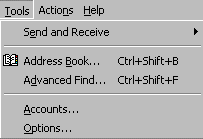
2) From the drop-down menus, select Tools-Accounts
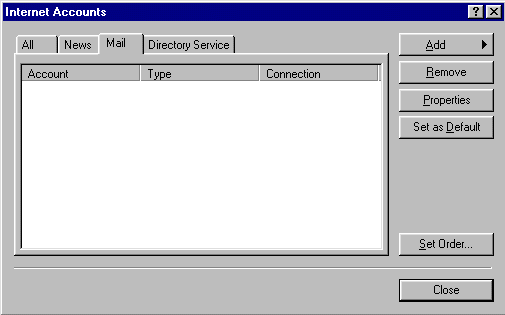
3) Click the Mail tab, then on the Add button and select Mail
4) In the Display name box enter your name as you wish it to appear at the recipient's end
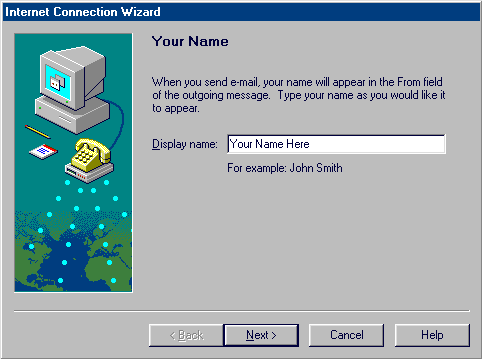
5) Click Next
6) In the Email address box enter your email address (ex: userid@yourdomain.com)
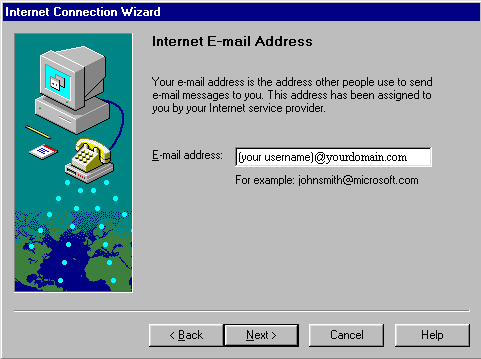
7) Click Next
8) Enter the mail server information as shown below
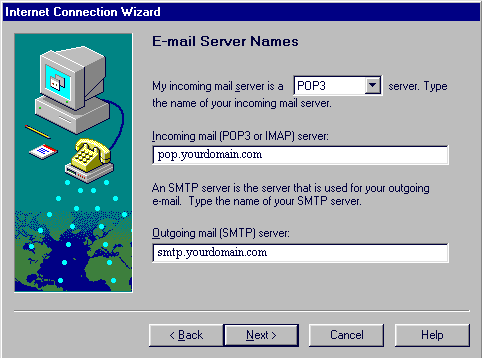
9) Click Next
10) Make sure Logon using: is selected and enter the information as shown below. Note: your password will echo as asterisks. Be sure you enter your password correctly. Passwords are case-sensitive.
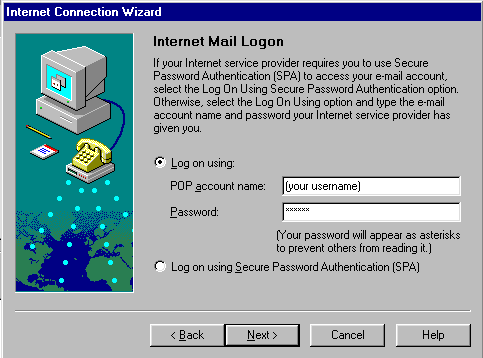
11) Select Next
12) In the Internet mail account name box, enter a "friendly name" for your account.
Note: This can be anything you want. If setting up multiple accounts you may want to give each account a slightly different name, i.e. "Yourdomain.com-Bob", "Yourdomain.com-Mary" etc.
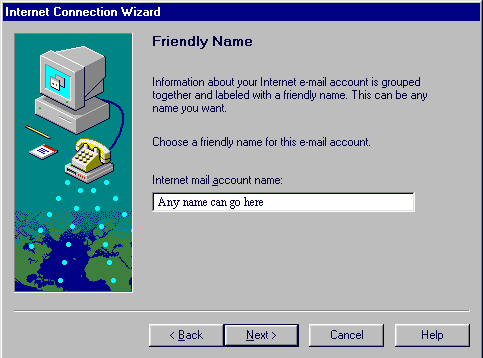
13) Select Next
14) Select Connect using my phone line
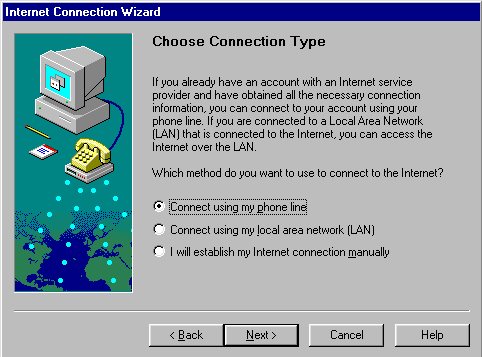
15) Select Next
16) Select Use an existing dial up networking connection and make sure the connection name for YourDomain.com is selected.
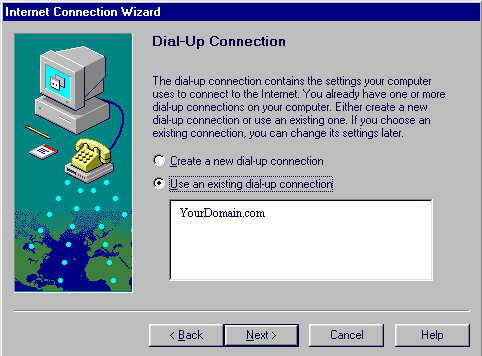
16) Click Next
17) Click Finish to save your settings
You are now ready to send and receive email using Outlook 98. For program function and features, consult your Outlook 98 "Help" files, or contact Microsoft Technical Support Online at http://www.microsoft.com/Support/